Flash Loan Arbitrage Engine
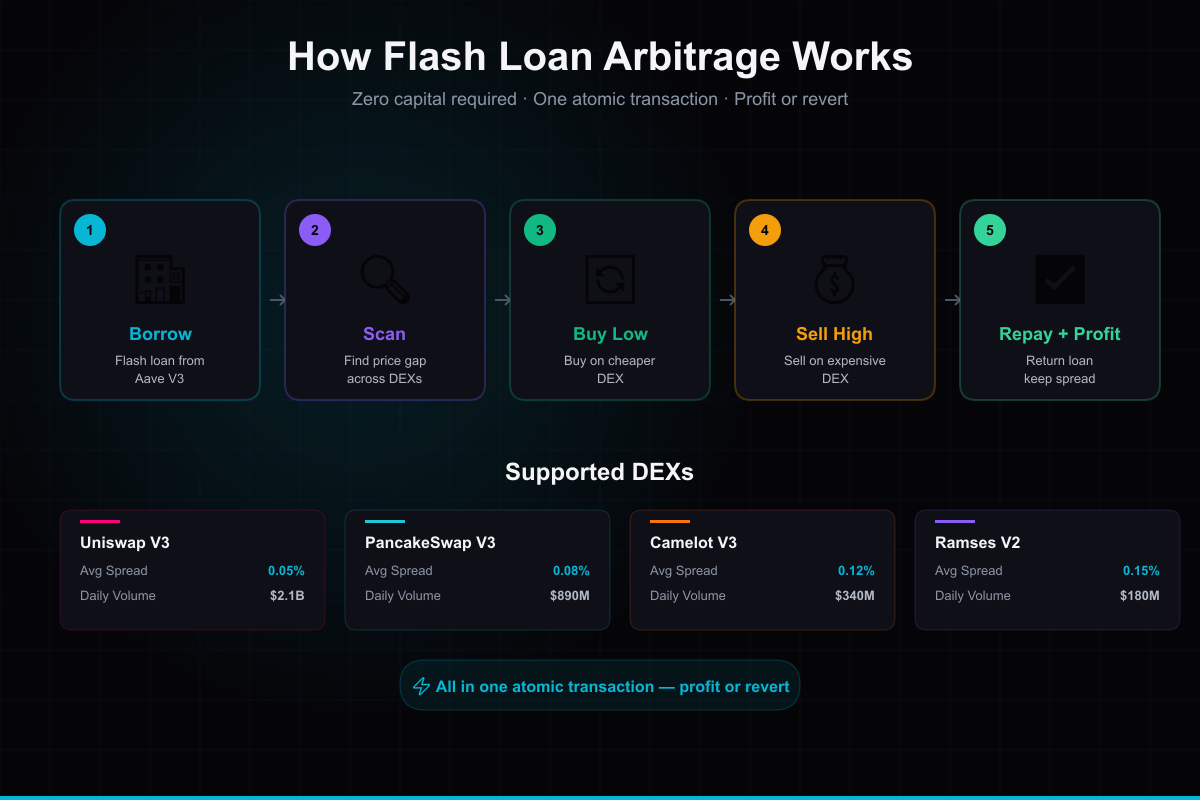
Automated cross-DEX arbitrage with multi-DEX scanning (Uniswap V3, PancakeSwap V3, Camelot V3, Ramses V2), server-side auto-executor, and real-time opportunity detection. Zero collateral via Aave V3 flash loans on Arbitrum.
You are purchasing software source code and architecture — not financial advice or guaranteed returns. Trading involves substantial risk of loss. Full disclaimer →
🎬 Product Demo
What's Included
About This Product
🔌 **Extension for AI Trading Dashboard** — Run the install script and start finding arbitrage opportunities automatically.
Borrow millions with zero collateral. Buy low on one DEX, sell high on another. Repay in the same transaction. Keep the profit — or the whole thing reverts and you lose nothing but gas.
v1.1 — What's new:
What you get:
👉 **Try the live demo** to see the scanner finding real-time opportunities across DEXes.
How it works:
1. Scanner monitors price differences across 4 DEXes every 12 seconds
2. When spread exceeds gas + fees, it triggers a flash loan from Aave V3
3. Atomic transaction: borrow → buy low → sell high → repay → profit
4. If the trade isn't profitable, the entire transaction reverts (you lose nothing)
⚠️ **Risk Warning:** While flash loans are atomic (failed trades revert), this does NOT mean risk-free. Smart contract bugs, gas estimation errors, MEV attacks, and market manipulation can result in losses. DeFi protocols carry inherent smart contract risk. You are responsible for auditing, testing, and deploying any smart contracts. See our Trading Disclaimer.
**Integrates with:** AI Trading Dashboard ($149) — run the included `install.bat` (Windows) or `bash install.command` (Mac) — it copies everything to the right place. Restart dashboard.
**You provide:** Your own wallet, private keys, ETH for gas, and risk management.
How to Set Up
Get up and running in under 10 minutes. Full documentation included in the download.
Download & extract
After purchase, download the zip file and extract it to a folder on your machine.
Run the setup script
Double-click QUICK-START.bat (Windows) or QUICK-START.command (Mac). It installs dependencies, creates your config, and opens the dashboard automatically.
Configure API keys
The Setup Wizard opens in your browser and walks you through connecting Hyperliquid, Supabase, and your AI provider.
Start trading
Your dashboard is ready. Create agents, configure strategies, set risk limits, and let them trade.
What you need: Node.js 18+ and a free Supabase account. The QUICK-START script handles installation automatically. Demo mode works out of the box — no API keys needed to preview.